SBL2e Development Kit

$299.00

The NetBurner Single Chip platform is an extremely cost effective platform for simple applications, but this comes at a cost in features and development time. Unlike the standard NNDK applications where one can expect to add significant features to the examples, the SBL2E examples are close to the limit of what can be done with the platform. You can modify the applications, but if you add features also expect to remove features.

In Stock

SKU: NNDK-SBL2E-KIT Categories: , Tags: ,

Description

Icon

SBL2e Datasheet 921.24 KB 47468 downloads

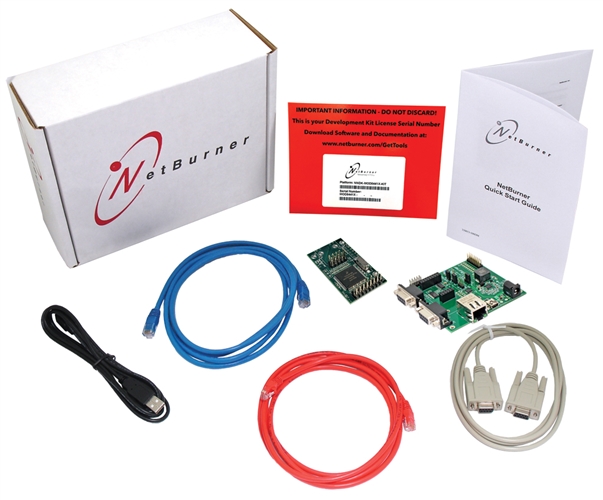
Included in the Package

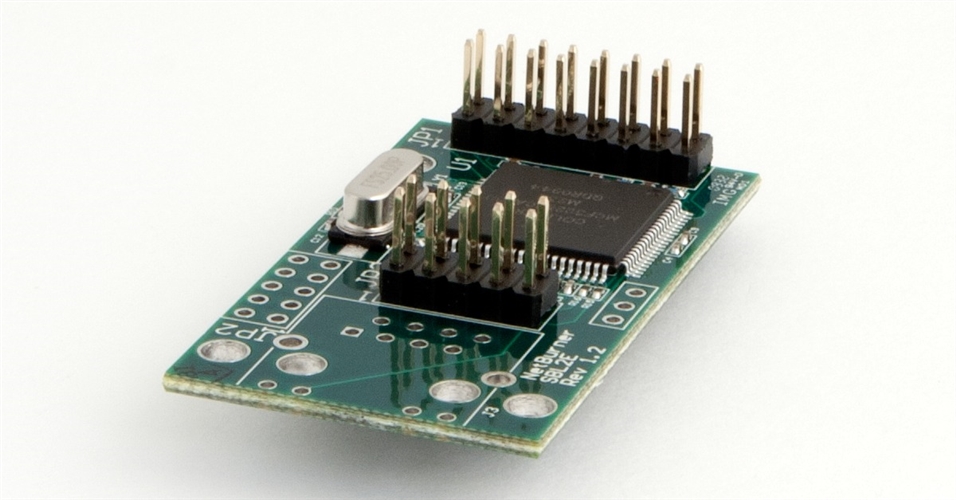
  • 1 Platform Hardware
  • 1 Adapter Board
  • 1 Quick Start Guide
  • 1 NNDK Card with Platform Serial Number
  • 1 USB Cable
  • 1 RJ-45 Ethernet Jack
  • 1 Serial Cable
  • 1 Blue CAT5 Patch Cable
  • 1 Red CAT5 Cross-over Cable
  • 1 Year of Software and Tool Updates
  • 6 Months of Technical Support


Ready to build products?

Take a look at volume pricing for the SBL2e. Click here for additional product information

NOTE: These kits are USB powered (with the included USB cable), but can also be powered by a power adapter which can be purchased here: International Power Adapter or a US Power Adapter

Specifications

Performance and Memory
Processor Family

ColdFire

Clock Speed

50 MHz

Device Connectivity
Analog to Digital (ADC) Channels

4

DHCP/Static IP modes

Yes

Ethernet

10/100 Mbps

GPIO

10

I2C

1

RS-232

Requires external level shifter

RS-422/485

Requires external level shifter

TCP/UDP/Telnet Modes

Yes

UART

2

Module Properties
Dimensions

2.00" x 1.10" (inches)

DC Input Voltage

3.3V @ 300mA typical

Temperature Range

Industrial (-40°C to 85°C)

Brand

NetBurner

More
Weight

2 lbs

Documents and Downloads

SBL2e Datasheet

Icon

SBL2e CHIP & BOB Datasheet 943.76 KB 22801 downloads

Icon

SBL2e Datasheet 921.24 KB 47468 downloads

    SBL2e Documents

    Icon

    SBL2e Serial Tunneling 0.00 KB 25135 downloads

    Icon

    SBL2e Dual Serial to Ethernet User's Manual 0.00 KB 20448 downloads

    Icon

    SBL2e Latest Factory Application Firmware 0.00 KB 16499 downloads

    Icon

    SBL2e Revision History 0.00 KB 14563 downloads

    Icon

    SBL2e Quick Start Guide 0.00 KB 20734 downloads

    Icon

    SBL2e Evaluation Kit Quick Start Guide 0.00 KB 19403 downloads

    Icon

    SBL2e Schematic 0.00 KB 16976 downloads

    Icon

    SBL2e Mechanical Diagram (200 Version) 0.00 KB 16294 downloads

    Icon

    SBL2e Mechanical Diagram (100 Version) 0.00 KB 16396 downloads

    Icon

    Adding an Ethernet RJ-45 Connector 0.00 KB 51498 downloads

      Development Kit

      Icon

      SBL2e STEP Files 2.41 MB 8029 downloads

      Icon

      macOS Big Sur PCN 0.00 KB 117000 downloads

      Icon

      Custom Baud Rates 0.00 KB 114533 downloads

      Icon

      Software and Protocols: Network Single-Chip 0.00 KB 25100 downloads

      Icon

      uCOS Library 0.00 KB 127623 downloads

      Icon

      SerialDownload Pdf 0.00 KB 124775 downloads

      Icon

      Writing Assembly Code for the NetBurner Coldfire Platform 0.00 KB 126107 downloads

      Icon

      Network Programming Guide 0.00 KB 23266 downloads

      Icon

      Comparing RTOS to Infinite Loop Designs 0.00 KB 116588 downloads

      Icon

      Network Security Libraries 0.00 KB 125671 downloads

      Icon

      Network Programming Examples 0.00 KB 116052 downloads

      Icon

      Network Programming Guide 0.00 KB 113339 downloads

      Deployment Tools

      Icon

      MTTTY Download 0.00 KB 193438 downloads

      Multi-Threaded TTY (MTTTY) is an easy to use serial terminal utility that you can use to communicate with the RS-232 serial ports on your device or development kit. It is multi-threaded in that you can run multiple instances of MTTTY for each serial port.

      Icon

      MTTTY Serial Terminal 0.00 KB 131417 downloads

      Icon

      AutoUpdate (Windows) 0.00 KB 119274 downloads

      The NetBurner AutoUpdate download for Windows. Get the OSX version here.

      Read more about our deployment tools including AutoUpdate here.

      Icon

      AutoUpdate (OS X) 0.00 KB 110453 downloads

      Icon

      IP Setup 0.00 KB 182434 downloads

      IPSetup is a Windows program used to configure NetBurner hardware through a network connection. Running IPSetup will automatically identify your NetBurner device (even if its IP address is 0.0.0.0).

        Application Notes

        Icon

        SBL2e Pin I/O Class 0.00 KB 24057 downloads

        Icon

        Power Over Ethernet 0.00 KB 62314 downloads