SBL2e

Price range: $38.50 through $2,160.00

Access serial, analog, or digital I/O data over Ethernet!

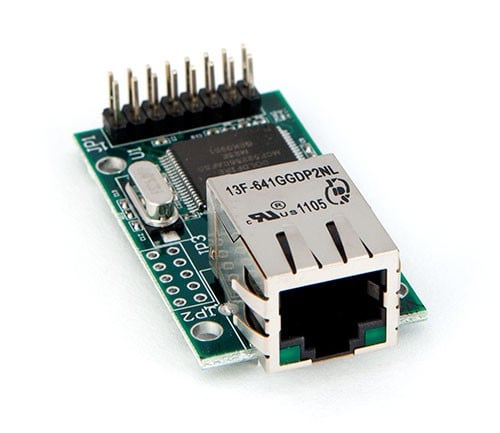
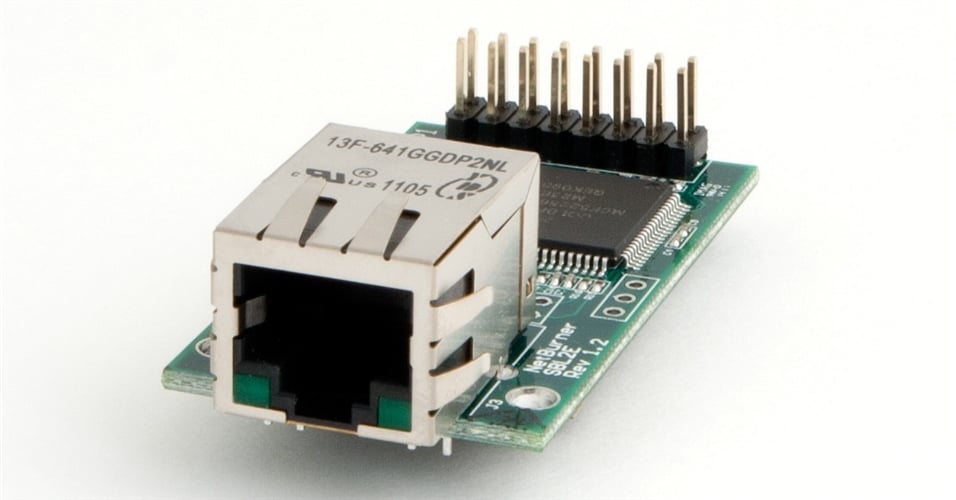
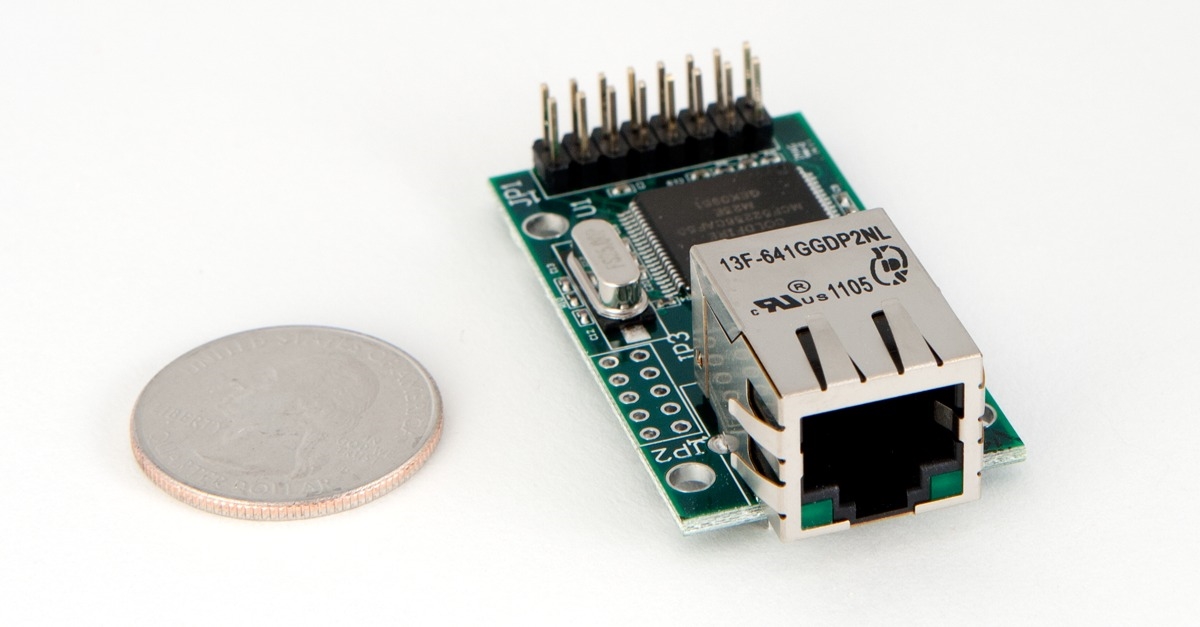
NetBurner SBL2e Devices network-enable serial, analog, or digital I/O devices out of the box – no programming or development is required. The included virtual COM port Windows utility enables you to easily access serial devices located on a remote NetBurner device as if they were plugged into your own computer. The hardware is pre-programmed to convert your serial data to Ethernet, enabling communication with the serial device over a network or the Internet.

Description

Icon

SBL2e Datasheet 921.24 KB 53974 downloads

Icon

SBL2e CHIP & BOB Datasheet 943.76 KB 27101 downloads

Product Posts

Get on the I2C Bus!

I2C: The Kindergarten Classroom of Protocols Have you ever found yourself daydreaming idly, “If only there was something out there that allowed me the luxury

Read More »

Demystifying Serial Tunneling

In this article, we’ll explain Serial Tunneling and how this powerful capability uses Ethernet to connect two or more separated serial end-points. We’ll also introduce

Read More »

Not the right device? Compare all Ethernet to Serial Servers by feature.
 

Specifications

Performance and Memory
Processor Family

ColdFire

Clock Speed

50 MHz

Device Connectivity
Analog to Digital (ADC) Channels

4

DHCP/Static IP modes

Yes

Ethernet

10/100 Mbps

GPIO

10

I2C

1

RS-232

Requires external level shifter

RS-422/485

Requires external level shifter

TCP/UDP/Telnet Modes

Yes

UART

2

Module Properties
Dimensions

0.63" x 0.63" (inches) CHIP, 2.00" x 1.10" (inches), 2.05" x 1.54" (inches) BOB

DC Input Voltage

3.3V @ 300mA typical

Temperature Range

Industrial (-40°C to 85°C)

Brand

NetBurner

More
SB2Le Versions Available

, , , , ,

Max Baud Rate

115,200

Weight

.1 lbs

Documents and Downloads

SBL2e Firmware

Icon

SBL2e Latest Factory Application Firmware 125.69 KB 54 downloads

This is the latest available firmware for SBL2e.

Icon

SBL2e Shipping Factory Application Firmware 142.95 KB 48 downloads

This firmware version is what's shipping with SBL2e units from the factory as of March 2026. There are newer versions available, but this version is kept online for troubleshooting purposes.

Icon

SBL2e Previous Factory Application Firmware 155.43 KB 19104 downloads

This was the current version as of March 10 2026, available for historical purposes, and has since been superseded.

    SBL2e Datasheet

    Icon

    SBL2e CHIP & BOB Datasheet 943.76 KB 27101 downloads

    Icon

    SBL2e Datasheet 921.24 KB 53974 downloads

      SBL2e Documents

      Icon

      SBL2e Serial Tunneling 0.00 KB 29403 downloads

      Icon

      SBL2e Dual Serial to Ethernet User's Manual 0.00 KB 23305 downloads

      Icon

      SBL2e Revision History 11.56 KB 18041 downloads

      Icon

      SBL2e Quick Start Guide 0.00 KB 23465 downloads

      Icon

      SBL2e Evaluation Kit Quick Start Guide 0.00 KB 22080 downloads

      Icon

      SBL2e Schematic 0.00 KB 19549 downloads

      Icon

      SBL2e Mechanical Diagram (200 Version) 0.00 KB 18659 downloads

      Icon

      SBL2e Mechanical Diagram (100 Version) 0.00 KB 18853 downloads

      Icon

      Adding an Ethernet RJ-45 Connector 0.00 KB 60683 downloads

        Development Kit

        Icon

        SBL2e STEP Files 2.41 MB 10393 downloads

        Icon

        macOS Big Sur PCN 0.00 KB 142000 downloads

        Icon

        Custom Baud Rates 0.00 KB 137240 downloads

        Icon

        Software and Protocols: Network Single-Chip 0.00 KB 29267 downloads

        Icon

        uCOS Library 0.00 KB 152569 downloads

        Icon

        SerialDownload Pdf 0.00 KB 149059 downloads

        Icon

        Writing Assembly Code for the NetBurner Coldfire Platform 0.00 KB 150743 downloads

        Icon

        Network Programming Guide 0.00 KB 27254 downloads

        Icon

        Comparing RTOS to Infinite Loop Designs 0.00 KB 139202 downloads

        Icon

        Network Security Libraries 0.00 KB 147993 downloads

        Icon

        Network Programming Examples 0.00 KB 145407 downloads

        Icon

        Network Programming Guide 0.00 KB 137169 downloads

        Icon

        Debugging Network Communications 0.00 KB 101576 downloads

        Icon

        NNDK Installation Notes 0.00 KB 60502 downloads

        Icon

        Runtime Libraries 0.00 KB 45356 downloads

        Icon

        Reference Guide: NetBurner PC Tools 0.00 KB 41723 downloads

        Icon

        Getting Started Guide: NetBurner's Eclipse IDE (NBEclipse) 0.00 KB 49999 downloads

        Icon

        Freescale Coldfire MCF52235 Errata 0.00 KB 8283 downloads

        Icon

        Freescale Coldfire MCF52235 Reference Manual 0.00 KB 8893 downloads

        Icon

        Freescale Coldfire MCF52235 Datasheet 0.00 KB 7606 downloads

          Deployment Tools

          Icon

          MTTTY Download 0.00 KB 217560 downloads

          Multi-Threaded TTY (MTTTY) is an easy to use serial terminal utility that you can use to communicate with the RS-232 serial ports on your device or development kit. It is multi-threaded in that you can run multiple instances of MTTTY for each serial port.

          Icon

          MTTTY Serial Terminal 0.00 KB 158795 downloads

          Icon

          AutoUpdate (Windows) 0.00 KB 144950 downloads

          The NetBurner AutoUpdate download for Windows. Get the OSX version here.

          Read more about our deployment tools including AutoUpdate here.

          Icon

          IP Setup 0.00 KB 212863 downloads

          IPSetup is a Windows program used to configure NetBurner hardware through a network connection. Running IPSetup will automatically identify your NetBurner device (even if its IP address is 0.0.0.0).

          Icon

          AutoUpdate (OS X) 0.00 KB 133756 downloads

            Application Notes

            Icon

            SBL2e Pin I/O Class 0.00 KB 28573 downloads

            Icon

            Power Over Ethernet 0.00 KB 72233 downloads

              Development Kit

              Serial to Ethernet Development Kit

              Desktop Software

              Powerful Hardware and Software that Makes Building Applications Easier

              In addition to the platform hardware, development kits include software and technical support. What makes NetBurner development kits different?

              • Every component including the hardware, software and developer tools is designed by NetBurner to work together seamlessly.
              • All development kits include world-class technical support.
              • Create and deploy applications from your Mac OS X 10.5+ or Windows XP/Vista/7 PC .
              • Get hands-on familiarity with the NetBurner platform by studying, building, and modifying ample source code examples.
              • Device applications can be written in C/C++ (or assembly language).
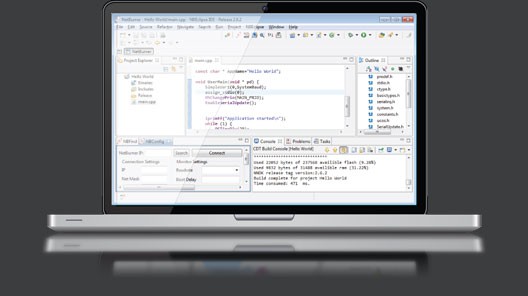
              • Includes Eclipse based IDE with graphical debugger. If you prefer using the command line, we include several source code examples with makefiles.
              • Includes royalty-free TCP/IP Stack, web server, Real-time OS (RTOS), and more. Although our software stack has a small memory footprint, you can include only what you need to free up additional memory or processing power.

              To learn about the standard development kit features and software, please click on the buttons below.

              You may also like…