

Nobody likes the feeling of sifting through log files or getting multiple devices to synchronize at the millisecond level, and facing an uphill battle. In today’s digital world, things fundamentally need to be in order: if a computer thinks a door closed before it opened, or if a suspicious login doesn’t show up right next to suspicious network traffic, it’s going to be difficult to make the right decisions.
Devices everywhere come with public NTP servers that synchronize over the internet, but at a certain point that’s just not good enough, or you don’t have an internet connection: that’s when you know it’s time for a time server. There are a handful of satellite-based time servers out on the market, but usually the very first requirement is a satellite antenna with a clear view of the sky, which complicates deployment: is there a window or rooftop or convenient wall nearby? Will the antenna cable reach? What if you want to mount the server with the other network gear? Deployment can be a hassle. On top of all that, you might not want to spend thousands of dollars, which limits your options further.
Say hello to the NTP1061.
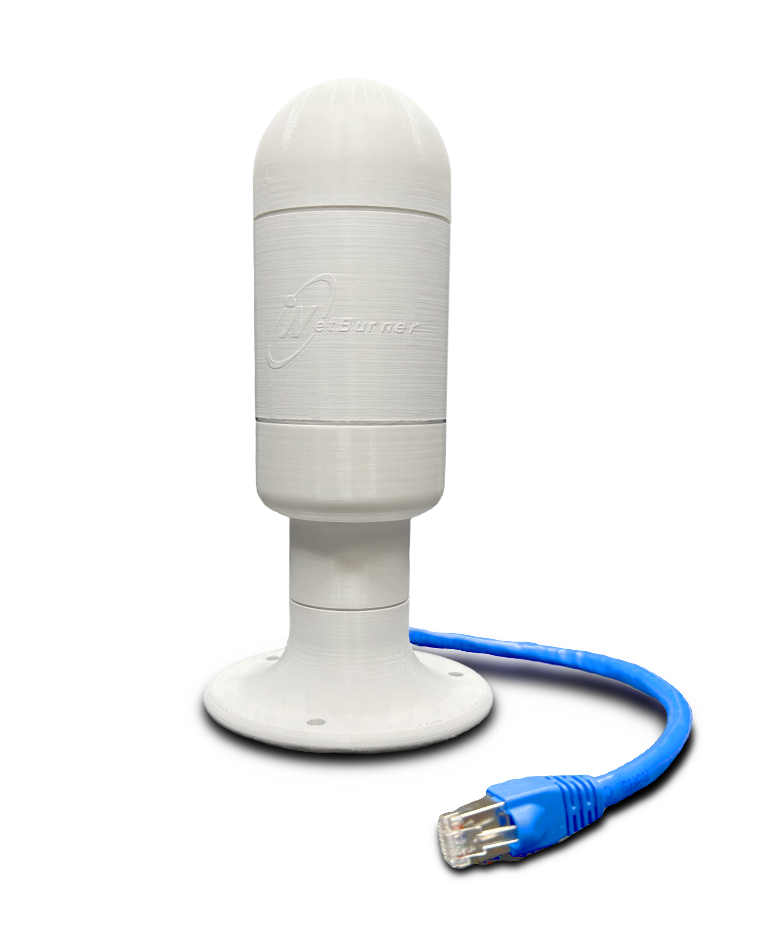
Just find a place with a clear view of the sky, anywhere an Ethernet cable can reach, plug into your pre-existing Power Over Ethernet switch, and the hard part is done! We designed the NTP1061 from the ground up to remove as many barriers to precise time as possible.
The NTP1061 is a self-contained, weatherproof unit that locks onto all major GNSS satellite constellations and serves time to your entire network at Stratum 1 accuracy: that means it’s synchronized directly to GPS, not to some other source. Its GPS chip is capable of timing precision better than 1 microsecond, and our hardware delivers that time to devices on your network with sub-millisecond accuracy at rates of up to 10,000 NTP requests per second.
The hardware is built for real-world conditions. Its IP65-rated enclosure and wide operating range (-40°C to +85°C, or -40°F to +185°F) make it at home on a rooftop, in a factory, or anywhere in the field. At just 17×6 cm (6.5×2.25 in) and barely over 100 grams (3.9 oz), it’s small enough to mount just about anywhere. Configuration and satellite monitoring are handled through an HTTPS-secured web interface, no serial cable or special software required.
Deploy
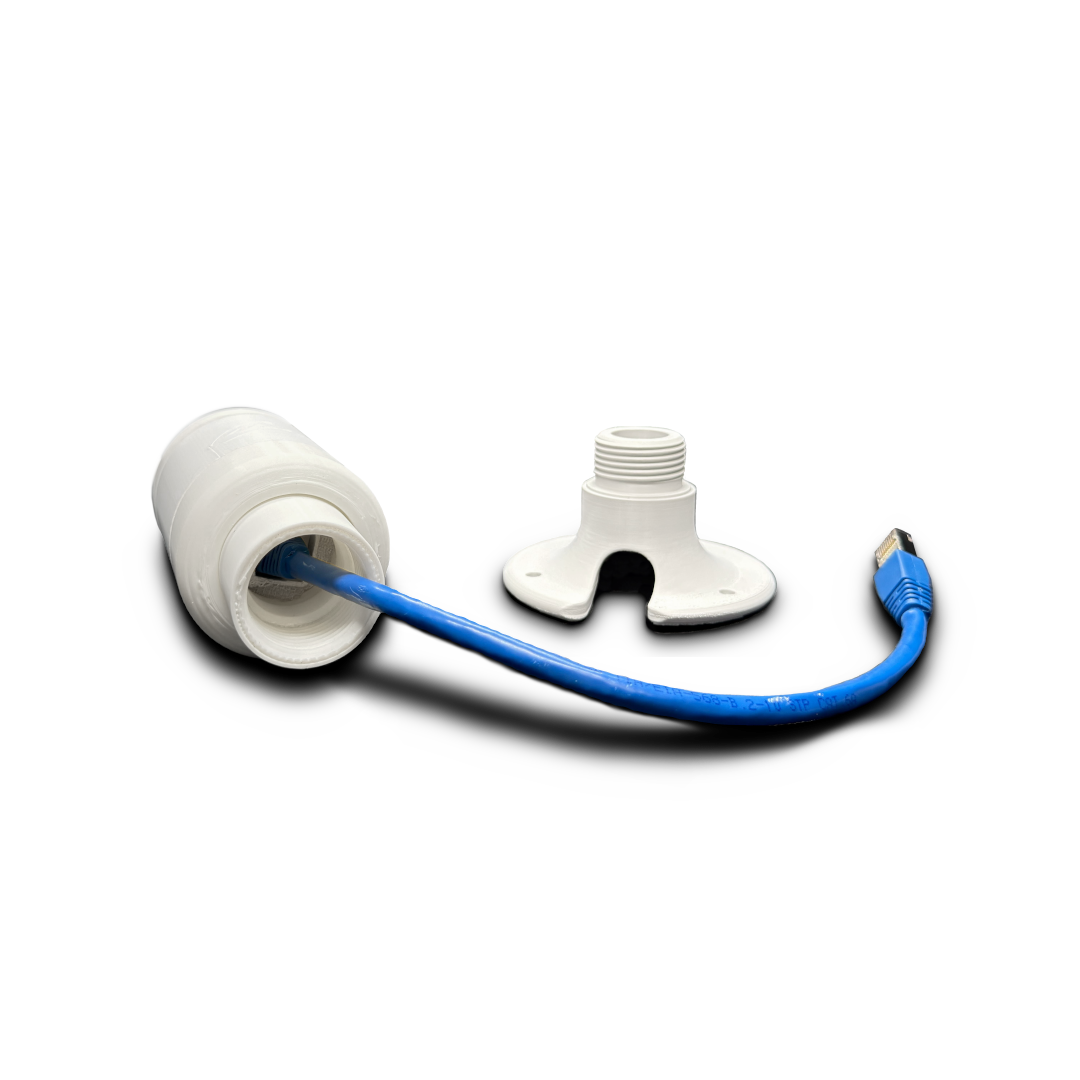
Install your NTP1061 in three easy steps.
First, unpack and use a spare Ethernet cable to connect it to a standard 48-volt Power over Ethernet switch. You should see the green and yellow Ethernet lights illuminate on the bottom of the unit, and a red light turn on inside the unit.
Then, discover the unit’s IP address and connect to its web-based configuration page. If your NTP1061 and computer are both connected to the same Internet connection, just visit https://discover.netburner.com — within seconds of bootup it should appear in the list with links to the Device Web Page. You can also simply visit http://nbntp.local if your computer supports mDNS/Bonjour. If you don’t have Internet access, we also offer Local Discover options.
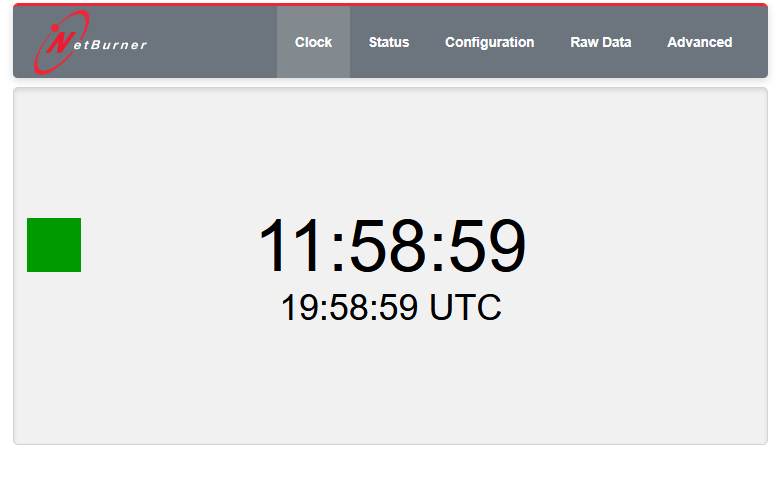
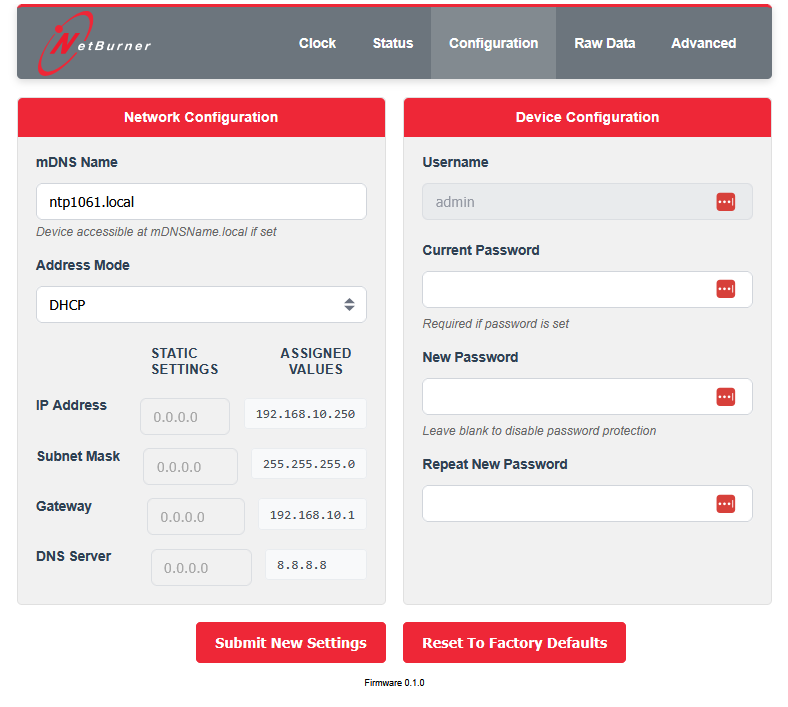
The first thing you’ll want to do is set a password on the Configuration page. On the Clock and Status pages you can see the current time and satellite status. We also suggest setting a Static IP or using a DHCP reservation so your NTP clients have a consistent place to get their time.
Finally, choose a mounting location where the unit has a clear view of the sky: in front of an unglazed window, on a rooftop, or using a 1-inch NPT threaded pipe to mount anywhere! Make sure it’s secured vertically to keep water out and keep the antenna pointed to the sky. Run an Ethernet cable from that location to your PoE switch and plug it all in. Confirm that the NTP1061 comes online at the desired IP address, confirm that it has good satellite reception, and configure your local devices with the time server’s IP address.
You’re done!
Using
Using the NTP1061 couldn’t be simpler. When the integrated GPS module has a satellite lock for accurate time, any devices configured to use the NTP1061 as their time server will automatically synchronize their time, either over the NTP or SNTP protocols.
The main page is a local and UTC clock, which appears once an accurate time signal is received:
You can check the reception of satellites overhead on the Status page:

And you can configure network and password settings on the Configuration page:
The Raw Data and Advanced pages are for special situations and not required for normal operation.
Wrap-up
We think the NTP1061 represents a new level of affordability, ease, and precision in the network time server market, and can’t wait to hear about all the innovative ways you use it!
Be first in line to get yours by visiting the NTP1061 product page, with the first units shipping in May 2026.